LPG e-KYC గ్యాస్ వినియోగదారులకు అలర్ట్.. ఆగస్టు 16లోపు ఈ-కేవైసీ పూర్తి చేయండి
ఇంటి నుంచే మొబైల్తో LPG e-KYC.. HP Gas, Bharatgas, Indane వినియోగదారులకు సులభమైన విధానం
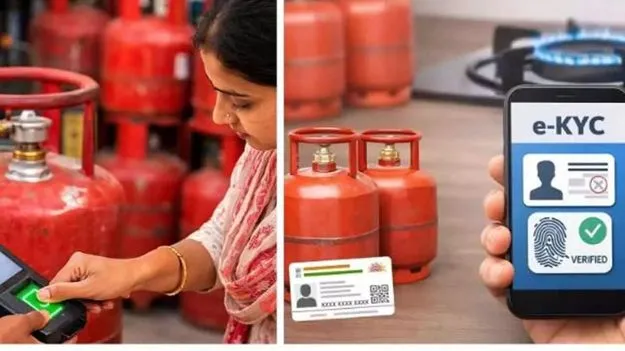
హైదరాబాద్: వంట గ్యాస్ (LPG) వినియోగదారులకు కీలక సూచన. గ్యాస్ కనెక్షన్కు సంబంధించిన LPG e-KYC ప్రక్రియను ఇంకా పూర్తి చేయని వినియోగదారులు వెంటనే అప్రమత్తం కావాలి. ఆగస్టు 16, 2026లోపు LPG e-KYC పూర్తి చేసుకోవాలని సూచనలు వెలువడ్డాయి. గ్యాస్ కనెక్షన్లలో అక్రమాలు, అనర్హుల వినియోగాన్ని అరికట్టడంతో పాటు అసలు వినియోగదారులను ధ్రువీకరించేందుకు ఆధార్ ఆధారిత e-KYC, బయోమెట్రిక్ ఆథెంటికేషన్ ప్రక్రియను అమలు చేస్తున్నారు.
ప్రస్తుతం గ్యాస్ ఏజెన్సీకి వెళ్లకుండానే మొబైల్ ఫోన్తో ఇంటి నుంచే LPG e-KYC చేసుకునే అవకాశం ఉంది. HP Gas, Bharatgas, Indane వినియోగదారులు తమకు సంబంధించిన అధికారిక మొబైల్ యాప్ ద్వారా e-KYC ప్రక్రియను పూర్తి చేసుకోవచ్చు. ఫేస్ ఆథెంటికేషన్ ద్వారా e-KYC పూర్తి చేసే సదుపాయం కూడా అందుబాటులో ఉంది.
LPG e-KYC ఎందుకు?
గ్యాస్ కనెక్షన్లలో అక్రమ వినియోగాన్ని నియంత్రించడం, ఒకే వ్యక్తి పేరుతో ఉన్న అనవసర లేదా అనర్హ కనెక్షన్లను గుర్తించడం, నిజమైన వినియోగదారుల వివరాలను ధ్రువీకరించడం కోసం LPG e-KYC కీలకంగా మారింది.
ఆధార్తో గ్యాస్ కనెక్షన్ను అనుసంధానం చేయడంతో పాటు ఫేస్ ఆథెంటికేషన్, వేలిముద్రలు, ఐరిస్ స్కాన్ వంటి బయోమెట్రిక్ విధానాల ద్వారా వినియోగదారుడి గుర్తింపును ధ్రువీకరించవచ్చు.
అయితే LPG e-KYC చేయకపోతే వెంటనే గ్యాస్ కనెక్షన్ కట్ అవుతుందని భావించకూడదు. ముఖ్యంగా సబ్సిడీ, ఉజ్వల పథకం వంటి ప్రయోజనాలపై e-KYC ప్రభావం ఉండొచ్చు. అధికారిక సంస్థలు లేదా మీ గ్యాస్ డిస్ట్రిబ్యూటర్ నుంచి వచ్చే తాజా సూచనలను తప్పనిసరిగా పరిశీలించాలి. IndianOil అధికారిక సమాచారంలో PMUY లబ్ధిదారులకు బయోమెట్రిక్ ఆధార్ ఆథెంటికేషన్ అవసరమని, e-KYCను IndianOil ONE యాప్ లేదా LPG డెలివరీ సిబ్బంది ద్వారా పూర్తి చేయవచ్చని పేర్కొంది. (IOCL Locator)
HP Gas e-KYC ఎలా చేయాలి?
HP Gas వినియోగదారులు మొబైల్ ద్వారా HP Pay యాప్ను ఉపయోగించవచ్చు. అవసరమైన చోట Aadhaar Face RD యాప్ను కూడా ఇన్స్టాల్ చేసుకోవాలి.
- Google Play Store నుంచి HP Pay, Aadhaar Face RD యాప్లను డౌన్లోడ్ చేసుకోవాలి.
- HP Pay యాప్ను ఓపెన్ చేసి రిజిస్ట్రేషన్/లాగిన్ ప్రక్రియ పూర్తి చేయాలి.
- గ్యాస్ అకౌంట్కు లింక్ అయిన మొబైల్ నంబర్ను నమోదు చేసి OTP verification పూర్తి చేయాలి.
- హోమ్ పేజీలో My HP సెక్షన్కు వెళ్లాలి.
- అందులో LPG ఆప్షన్ను ఎంచుకోవాలి.
- కనిపించే e-KYC ఆప్షన్పై క్లిక్ చేయాలి.
- స్క్రీన్పై కనిపించే సూచనలను పాటించాలి.
- Capture Face ఆప్షన్పై క్లిక్ చేసి ఫేస్ ఆథెంటికేషన్ పూర్తి చేయాలి.
ఫేస్ స్కాన్ విజయవంతంగా పూర్తయిన తర్వాత e-KYC ప్రక్రియ పూర్తవుతుంది.
Bharatgas e-KYC ఎలా పూర్తి చేయాలి?
Bharatgas వినియోగదారులు Hello BPCL యాప్తో e-KYC ప్రక్రియను ప్రారంభించవచ్చు.
- Play Store నుంచి Hello BPCL, Aadhaar Face RD యాప్లను డౌన్లోడ్ చేయాలి.
- Hello BPCL యాప్ను ఓపెన్ చేయాలి.
- రిజిస్టర్డ్ మొబైల్ నంబర్తో OTP verification పూర్తి చేయాలి.
- లాగిన్ అయిన తర్వాత హోమ్ పేజీలో కనిపించే e-KYC ఆప్షన్ను ఎంచుకోవాలి.
- అవసరమైతే మరోసారి OTP verification చేయాలి.
- యాప్లో కనిపించే సూచనలను అనుసరించాలి.
- ఫేస్ ఆథెంటికేషన్/బయోమెట్రిక్ వెరిఫికేషన్ పూర్తయ్యే వరకు ప్రక్రియను కొనసాగించాలి.
Indane Gas e-KYC ఎలా చేయాలి?
Indane LPG వినియోగదారులు IndianOil ONE యాప్ ద్వారా e-KYC చేసుకోవచ్చు. అవసరమైన ఫేస్ ఆథెంటికేషన్ కోసం Aadhaar Face RD యాప్ను ఉపయోగించవచ్చు. IndianOil అధికారిక సమాచారంలో కూడా IndianOil ONE ద్వారా self-biometric e-KYC సదుపాయం ఉన్నట్లు పేర్కొంది. (IOCL Locator)
- Play Store నుంచి IndianOil ONE, Aadhaar Face RD యాప్లను డౌన్లోడ్ చేసుకోవాలి.
- యాప్ను ఓపెన్ చేసి రిజిస్టర్డ్ మొబైల్ నంబర్ లేదా అందుబాటులో ఉన్న లాగిన్ వివరాలతో రిజిస్టర్ కావాలి.
- మొదటిసారి ఉపయోగిస్తున్నట్లయితే Sign Up/Registration పూర్తి చేయాలి.
- మీ గ్యాస్ కనెక్షన్కు సంబంధించిన 16 అంకెల LPG IDని లింక్ చేయాలి.
- కనెక్షన్ లింక్ అయిన తర్వాత మీ కస్టమర్ వివరాలు కనిపిస్తాయి.
- హోమ్ పేజీలో Profile ఆప్షన్పై క్లిక్ చేయాలి.
- అక్కడ Aadhaar Linked & e-KYC Statusను పరిశీలించాలి.
- e-KYC పూర్తికాకపోతే Re-authenticate ఆప్షన్ కనిపించవచ్చు.
- దానిపై క్లిక్ చేసి ఫేస్ స్కాన్/బయోమెట్రిక్ ఆథెంటికేషన్ పూర్తి చేయాలి.
e-KYC స్టేటస్ ఎలా తెలుసుకోవాలి?
e-KYC పూర్తి చేసిన తర్వాత సంబంధిత గ్యాస్ కంపెనీ యాప్లో e-KYC Statusను చెక్ చేసుకోవాలి. కేవలం ముఖాన్ని స్కాన్ చేయడం పూర్తయిందని భావించకుండా, యాప్లో e-KYC Successful/Completedగా నమోదైందో లేదో ధ్రువీకరించుకోవడం మంచిది.
ఆగస్టు 16 డెడ్లైన్.. ఎందుకు కీలకం?
LPG e-KYC Last Date August 16, 2026 అనే అంశంపై ప్రస్తుతం వినియోగదారుల్లో ఆసక్తి పెరిగింది. కొన్ని నివేదికల్లో ఆగస్టు 15, 16 తేదీలపై భిన్న సమాచారం కనిపిస్తున్న నేపథ్యంలో, చివరి రోజు వరకు వేచి ఉండకుండా ఆగస్టు 16లోపు e-KYC పూర్తి చేసుకోవడం సురక్షితమైన చర్య. (Indian Express – Bangla)
ముఖ్యంగా LPG subsidy, PM Ujjwala Yojana (PMUY) ప్రయోజనాలు పొందుతున్న వినియోగదారులు తమ e-KYC స్థితిని తప్పనిసరిగా చెక్ చేసుకోవాలి. IndianOil సమాచారం ప్రకారం PMUY లబ్ధిదారులకు నిర్దిష్ట DBT సబ్సిడీ ప్రయోజనాల కోసం బయోమెట్రిక్ ఆధార్ ఆథెంటికేషన్ అవసరం. (IOCL Locator)
e-KYC సమయంలో ఈ జాగ్రత్తలు తప్పనిసరి
LPG e-KYC పేరుతో సైబర్ మోసాలకు గురికాకుండా వినియోగదారులు అప్రమత్తంగా ఉండాలి.
- Google Play Storeలోని అధికారిక యాప్లనే డౌన్లోడ్ చేసుకోవాలి.
- అనుమానాస్పద APK ఫైళ్లను ఇన్స్టాల్ చేయకూడదు.
- WhatsApp, SMS, సోషల్ మీడియా ద్వారా వచ్చే తెలియని లింక్లపై క్లిక్ చేయకూడదు.
- OTP, Aadhaar వివరాలు, బ్యాంక్ వివరాలు, ATM/UPI PINలను ఎవరికీ చెప్పకూడదు.
- e-KYC కోసం అనధికారిక వెబ్సైట్లను ఉపయోగించకూడదు.
- అధికారిక గ్యాస్ కంపెనీ యాప్ లేదా సమీపంలోని అధీకృత LPG డిస్ట్రిబ్యూటర్ను మాత్రమే ఆశ్రయించాలి.
- e-KYC పూర్తయిన తర్వాత యాప్లో KYC statusను మరోసారి చెక్ చేయాలి.
నాయబ్ తహసీల్దార్ రాంలాల్ సూచనల మేరకు, వినియోగదారులు e-KYC సమయంలో మరింత జాగ్రత్తగా వ్యవహరించాలి. నకిలీ వెబ్సైట్లు, సైబర్ నేరగాళ్ల ద్వారా మోసపోయే అవకాశం ఉన్నందున అధీకృత గ్యాస్ కంపెనీల యాప్లు, వెబ్సైట్లను మాత్రమే ఉపయోగించాలని సూచించారు.
LPG e-KYCపై వినియోగదారులు తెలుసుకోవాల్సిన ముఖ్యాంశాలు
గ్యాస్ e-KYC, LPG e-KYC, LPG Gas e-KYC Online, LPG e-KYC Last Date, Gas KYC Online, Aadhaar LPG e-KYC, LPG Aadhaar Link, LPG Face Authentication, HP Gas e-KYC, Bharat Gas e-KYC, Indane Gas e-KYC, HP Pay e-KYC, Hello BPCL e-KYC, IndianOil ONE e-KYC వంటి అంశాలపై వినియోగదారులు ఎక్కువగా సమాచారం కోసం చూస్తున్నారు.
ఇంటి నుంచే మొబైల్తో LPG e-KYC online పూర్తి చేసుకునే సదుపాయం ఉండటంతో గ్యాస్ ఏజెన్సీల వద్దకు వెళ్లాల్సిన అవసరం చాలా సందర్భాల్లో ఉండదు. అయితే ఆన్లైన్లో ప్రక్రియ పూర్తికాకపోతే లేదా ఆధార్/మొబైల్/కనెక్షన్ వివరాల్లో సమస్య ఉంటే సంబంధిత అధీకృత LPG ఏజెన్సీని సంప్రదించడం ఉత్తమం.
To get more interesting news, click the link below.
LPG e-KYC Deadline August 16: Complete Gas KYC Online From Home for HP Gas, Bharatgas and Indane
LPG e-KYC Online: Gas cylinder customers can complete Aadhaar-based e-KYC from home using mobile apps. Check the LPG e-KYC process for HP Gas, Bharatgas and Indane, deadline, face authentication and important safety precautions.
Hyderabad: Millions of domestic LPG consumers who have not yet completed their LPG e-KYC are being urged to complete the process before the August 16, 2026 deadline. The Aadhaar-based LPG e-KYC process is aimed at verifying genuine LPG consumers and preventing misuse and irregularities in domestic cooking gas connections.
The good news for LPG customers is that LPG e-KYC can be completed online from home using a smartphone. Consumers of HP Gas, Bharatgas and Indane Gas can use the respective official mobile applications and Aadhaar-based face authentication to complete their LPG e-KYC online without necessarily visiting a gas agency.
Recent reports have highlighted August 16 as the deadline, although earlier deadlines and differing communications have caused some confusion among consumers. Customers should therefore complete their LPG e-KYC as early as possible and verify their e-KYC status through their respective gas company’s official platform. (Goodreturns)
Why is LPG e-KYC important?
The LPG e-KYC exercise is intended to authenticate the identity of domestic LPG consumers and ensure that government-linked benefits reach eligible beneficiaries. Aadhaar-based authentication is also being used to help identify duplicate, inactive or improperly maintained LPG connections.
The LPG e-KYC process can involve Aadhaar authentication through facial recognition, fingerprint authentication or iris authentication, depending on the available process and service channel.
For consumers receiving LPG subsidy benefits, completing LPG Aadhaar e-KYC is particularly important. Official IndianOil information has stated that PMUY beneficiaries need Aadhaar-based authentication for the applicable subsidy benefits. (Goodreturns)
LPG e-KYC Online: How to complete it from home
Consumers can complete LPG e-KYC online through the official applications of their respective LPG companies.
HP Gas e-KYC: Step-by-step process
HP Gas customers can use the HP Pay application along with the Aadhaar Face RD application where required.
How to complete HP Gas e-KYC:
- Download the official HP Pay app from the Google Play Store.
- Download Aadhaar Face RD if required for face authentication.
- Open HP Pay and select the registration/login option.
- Enter the mobile number linked to your LPG account.
- Complete OTP verification.
- Log in to the application.
- Go to My HP.
- Select the LPG option.
- Select e-KYC.
- Follow the instructions displayed on the screen.
- Select Capture Face when prompted.
- Complete the face scan as instructed.
- Wait for the authentication process to be completed and verify the final e-KYC status.
This allows eligible HP Gas customers to complete HP Gas e-KYC online from their mobile phone.
Bharatgas e-KYC: How to complete it online
Bharatgas customers can use the Hello BPCL application for the e-KYC process.
Bharatgas e-KYC process
- Download the official Hello BPCL app.
- Install Aadhaar Face RD if the application requires it for face authentication.
- Open the app and register using the mobile number linked to your LPG account.
- Complete OTP verification.
- Log in to the application.
- Locate the e-KYC option on the home screen.
- Click on e-KYC.
- Complete the additional OTP verification if requested.
- Follow the instructions provided by the app.
- Complete Aadhaar-based face authentication.
- Check whether the Bharatgas e-KYC process has been successfully completed.
Consumers who are unable to complete Bharatgas e-KYC online can contact their authorised Bharatgas distributor for assistance.
Indane Gas e-KYC: Complete it through IndianOil ONE
For Indane Gas e-KYC, consumers can use the IndianOil ONE application along with Aadhaar Face RD where required.
Indane Gas e-KYC process
- Download the official IndianOil ONE app from the Play Store.
- Download Aadhaar Face RD if required.
- Register if you are using the app for the first time.
- Log in using your registered mobile number or applicable login credentials.
- Link your LPG connection using the 16-digit LPG ID, where required.
- Once the connection is linked, check your customer details.
- Go to the Profile section.
- Check Aadhaar Linked & e-KYC Status.
- If authentication is pending, select Re-authenticate.
- Follow the instructions and complete face authentication.
- Check the final Indane Gas e-KYC status.
IndianOil has previously advised customers that e-KYC can be completed through IndianOil ONE, the LPG distributor or LPG delivery personnel. (NDTV India)
What happens if LPG e-KYC is not completed?
Consumers should not rely on social media messages claiming that every LPG connection will automatically be permanently cancelled immediately after the deadline.
However, LPG e-KYC can affect access to certain government-linked benefits, subsidy eligibility and LPG services, depending on the consumer category and applicable rules. Recent reports have warned that consumers who fail to complete Aadhaar e-KYC may face difficulties with subsidy benefits or may have to purchase LPG at the applicable non-subsidised/commercial rate. (Goodreturns)
Therefore, consumers should not wait until the final day. Complete LPG e-KYC online and verify the status immediately.
LPG e-KYC for PM Ujjwala beneficiaries
PM Ujjwala Yojana (PMUY) beneficiaries should pay particular attention to Aadhaar-based authentication because e-KYC is linked to verification of eligible beneficiaries and subsidy-related benefits.
IndianOil has stated that biometric Aadhaar authentication is required for PMUY beneficiaries for applicable DBT subsidy benefits. (Goodreturns)
Consumers should therefore check their LPG e-KYC status rather than assuming that an old KYC record is automatically sufficient.
Aadhaar face authentication for LPG e-KYC
One of the major changes in the LPG e-KYC online process is the availability of Aadhaar-based face authentication.
Instead of visiting an LPG agency solely for biometric verification, eligible consumers can use their smartphone camera to complete the face authentication process through the authorised application and Aadhaar Face RD framework.
The process generally involves:
Mobile number verification → LPG account verification → Aadhaar authentication → Face scan → e-KYC confirmation
If the online process fails repeatedly, consumers should contact their authorised LPG distributor rather than installing unofficial applications.
What documents may be required for LPG e-KYC?
Depending on the gas company and authentication method, consumers may need:
- Aadhaar card
- Aadhaar-linked mobile number
- LPG consumer number
- LPG ID
- Gas connection/passbook details
- Registered mobile number
Consumers should keep these details ready before starting LPG e-KYC online.
Important safety warning for LPG e-KYC
Officials have warned consumers to remain cautious while completing LPG e-KYC.
Cybercriminals may use fake websites, APK files, SMS messages or fraudulent links claiming to provide Gas e-KYC Online services.
Consumers should follow these precautions:
- Use only the official LPG company’s website or mobile application.
- Download apps only from trusted official app stores.
- Do not install unknown APK files sent through WhatsApp or SMS.
- Never share your OTP, UPI PIN, ATM PIN or banking password.
- Do not give Aadhaar details to unknown callers.
- Do not click on suspicious LPG e-KYC links.
- Verify that the app belongs to the authorised LPG company.
- After completing e-KYC, check the official e-KYC status.
Naib Tehsildar Ramlal advised consumers to exercise caution during the e-KYC process and use only authorised company websites and applications to avoid cyber fraud.
LPG e-KYC Deadline: Don’t wait until the last day
With the LPG e-KYC deadline of August 16, 2026 approaching, consumers who have not completed their e-KYC should take action immediately.
Whether the connection is with Indane Gas, Bharatgas or HP Gas, customers can check the e-KYC facility through the official digital platform of their LPG provider.
The safest approach is simple: complete LPG e-KYC online, verify the authentication status and keep a confirmation or screenshot for your records.
LPG e-KYC: Key Information at a Glance
| Service | Online Platform | Authentication |
|---|---|---|
| HP Gas e-KYC | HP Pay | Aadhaar/Face Authentication |
| Bharatgas e-KYC | Hello BPCL | Aadhaar/Face Authentication |
| Indane Gas e-KYC | IndianOil ONE | Aadhaar/Face Authentication |
| Aadhaar Authentication | Aadhaar Face RD where required | Face Scan/Biometric |
| LPG e-KYC Deadline | August 16, 2026 | Complete as early as possible |
LPG e-KYC: Frequently Asked Questions
What is LPG e-KYC?
LPG e-KYC is an electronic Know Your Customer process used to authenticate LPG consumers through Aadhaar-based verification and other approved authentication methods.
Can I complete LPG e-KYC from home?
Yes. Eligible consumers can complete LPG e-KYC online from home through the official mobile application of their LPG provider.
How can I do HP Gas e-KYC?
HP Gas customers can use HP Pay and follow the LPG e-KYC and face authentication instructions provided in the application.
How can I do Bharatgas e-KYC?
Bharatgas customers can use the Hello BPCL application and complete the e-KYC process through the available authentication options.
How can I do Indane Gas e-KYC?
Indane customers can use IndianOil ONE and complete the Aadhaar-based e-KYC process, including face authentication where required.
What is the LPG e-KYC last date?
Current reports identify August 16, 2026 as the deadline being communicated to consumers. Because deadline communications have changed previously, consumers should complete the process immediately rather than wait for a further extension.
Satya Telangana is a Telugu daily newspaper delivering the latest news and updates